In today’s fast-paced, hybrid work environments, clear and efficient communication tools are essential for productive meetings, podcasts, and livestreams. We recently had the opportunity to test the Insta360 Wave AI Conference Speakerphone, a device that promises to elevate audio quality and meeting efficiency through advanced AI technology and thoughtful hardware design. With features like noise-canceling microphones, beamforming directional pickup, AI transcription in 99 languages, and up to 300 free minutes of monthly transcription and summaries, the Wave aims to be more than just a speakerphone—it seeks to be an indispensable meeting companion. Throughout our hands-on experience, we explored its 3D 8-mic array that captures voices clearly up to 16 feet away, seamless Zoom certification, and integration with Insta360’s Link 2 camera for a complete audio-visual solution. In this review, we will dive into how the Insta360 Wave performs in real-world scenarios, examining audio clarity, AI-powered features, connectivity, and overall usability to determine if it lives up to its considerable promise.
Table of Contents
Overview of the Insta360 Wave AI Conference Speakerphone and Our Initial Impressions
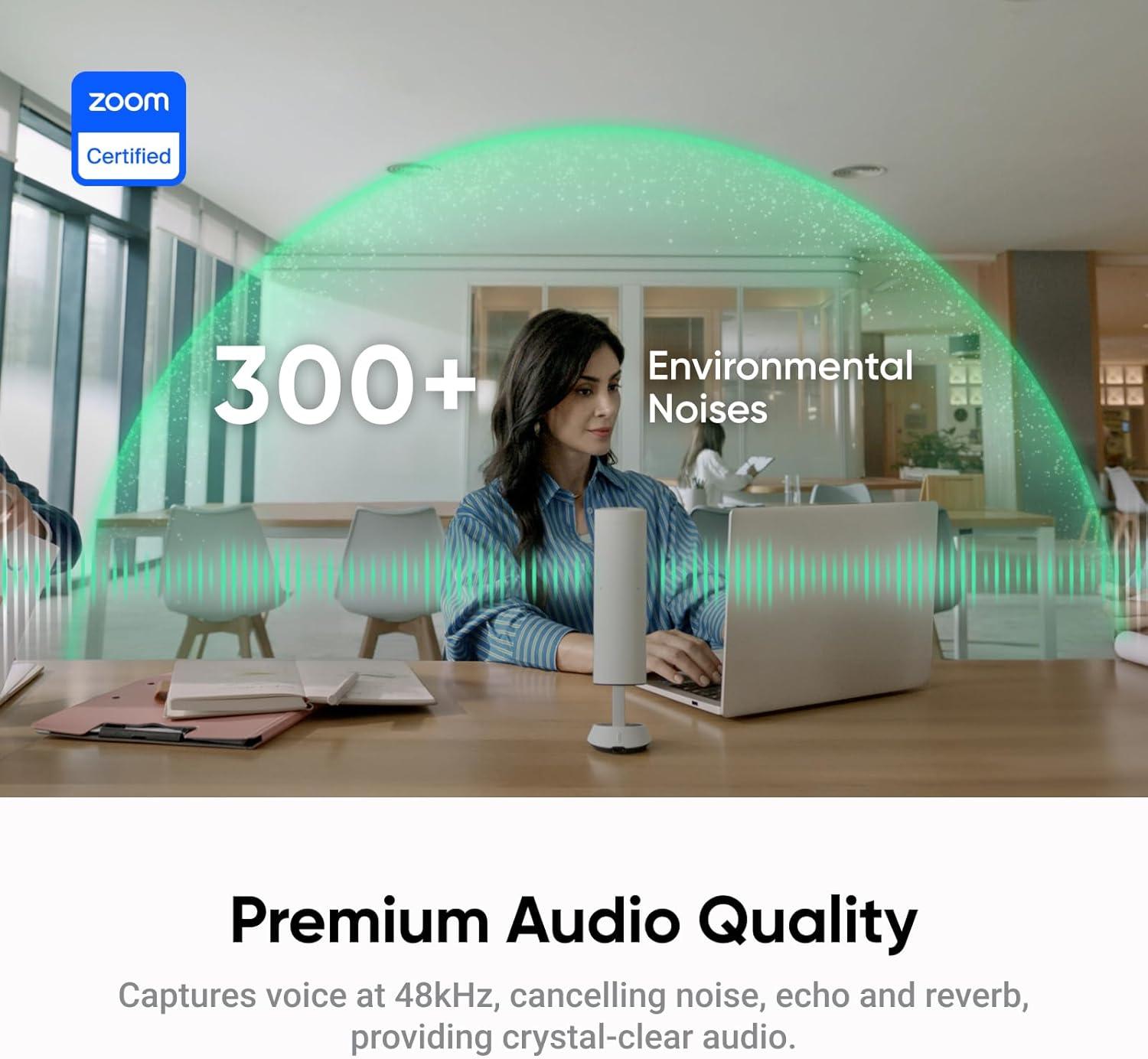
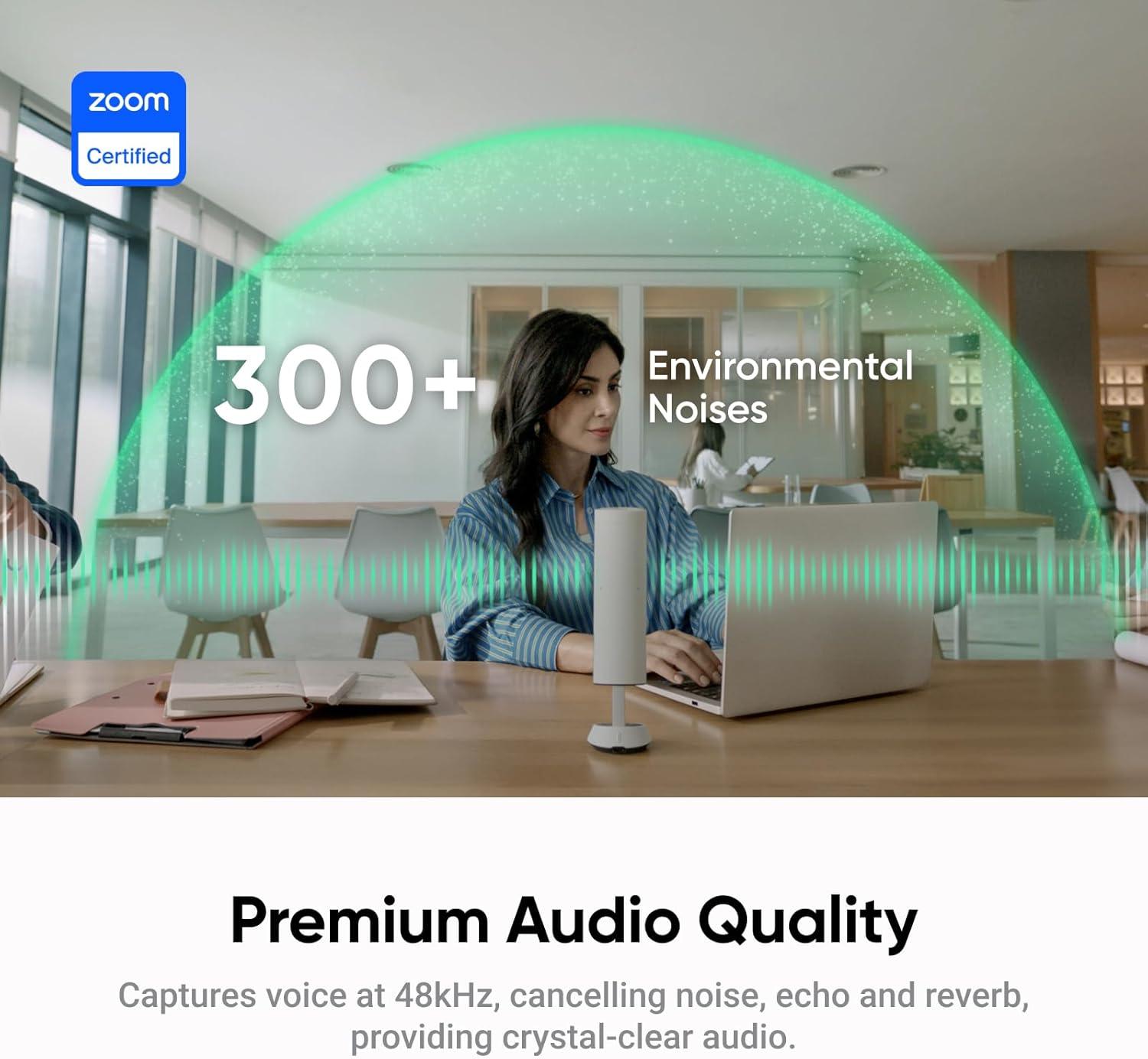
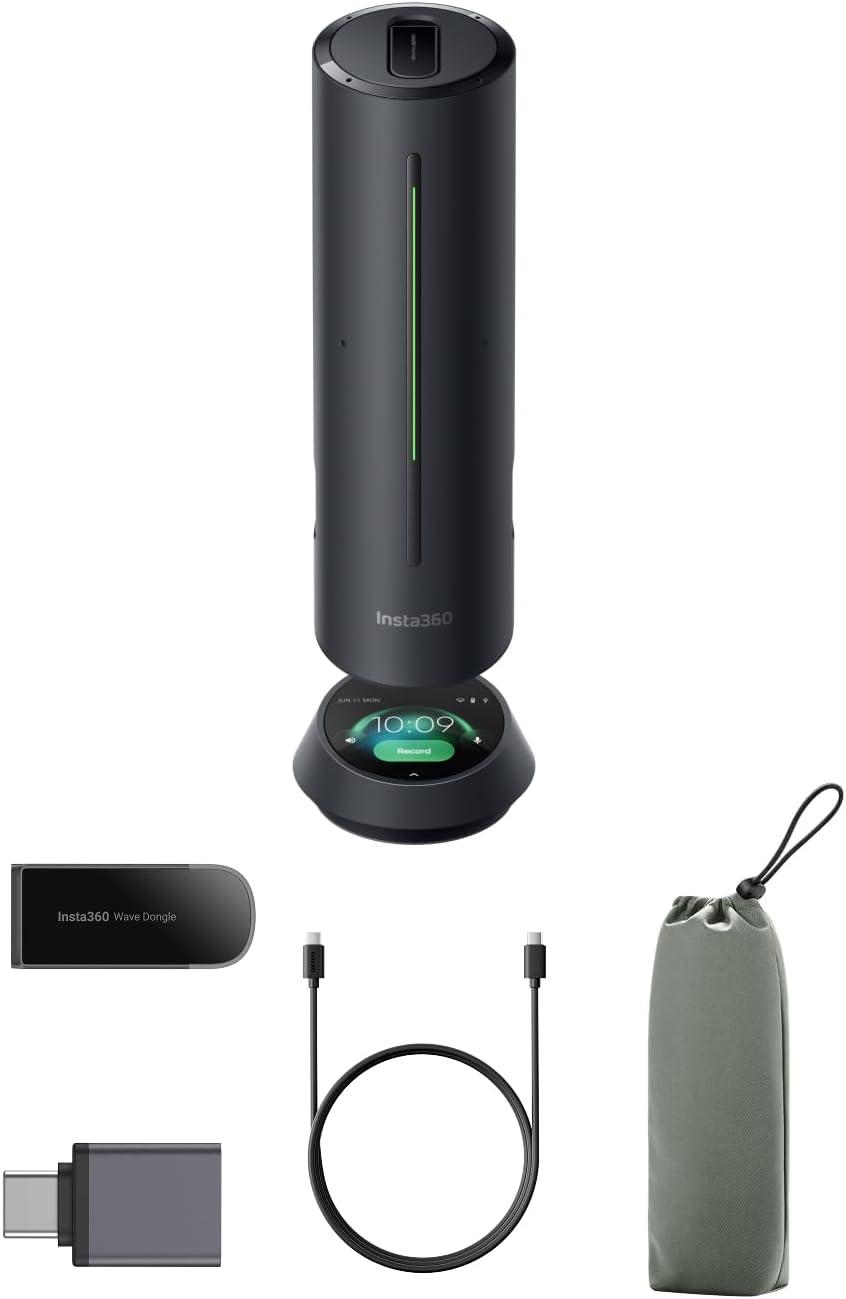
The device stands out with its advanced 3D 8-mic array, delivering crystal-clear voice capture up to 16 feet away at a high 48kHz sampling rate. This precise microphone setup, combined with five directional pickup patterns, allows it to adapt to various environments effortlessly, whether you’re in a crowded office or a quiet home studio. The integration of AI-powered noise cancellation drastically reduces background noise and echo, resulting in premium audio quality that elevates any meeting, podcast, or livestream. We found the versatility of connection options—including Bluetooth, USB, and a wireless dongle—particularly convenient, simplifying setup regardless of the platform in use.
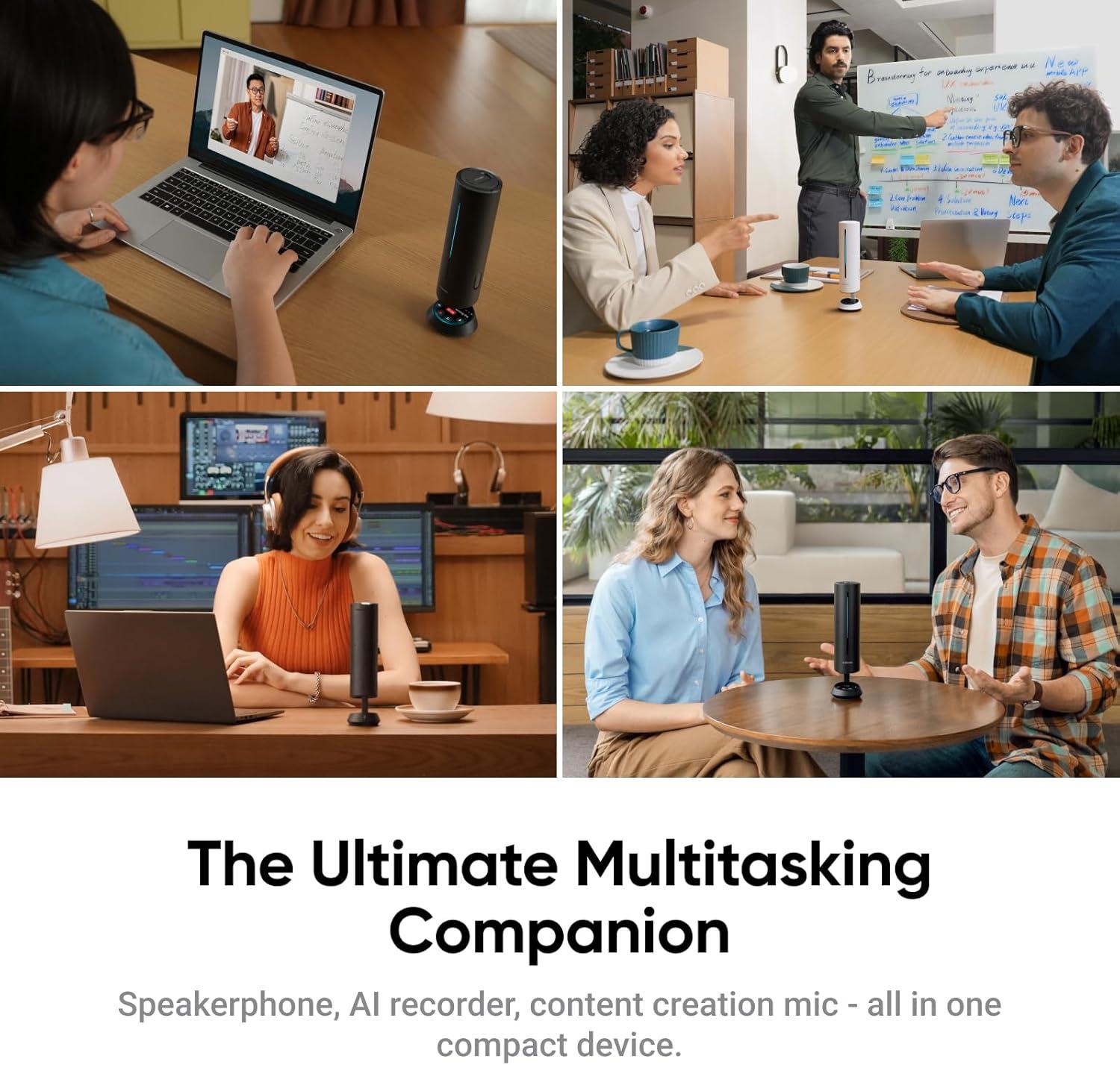
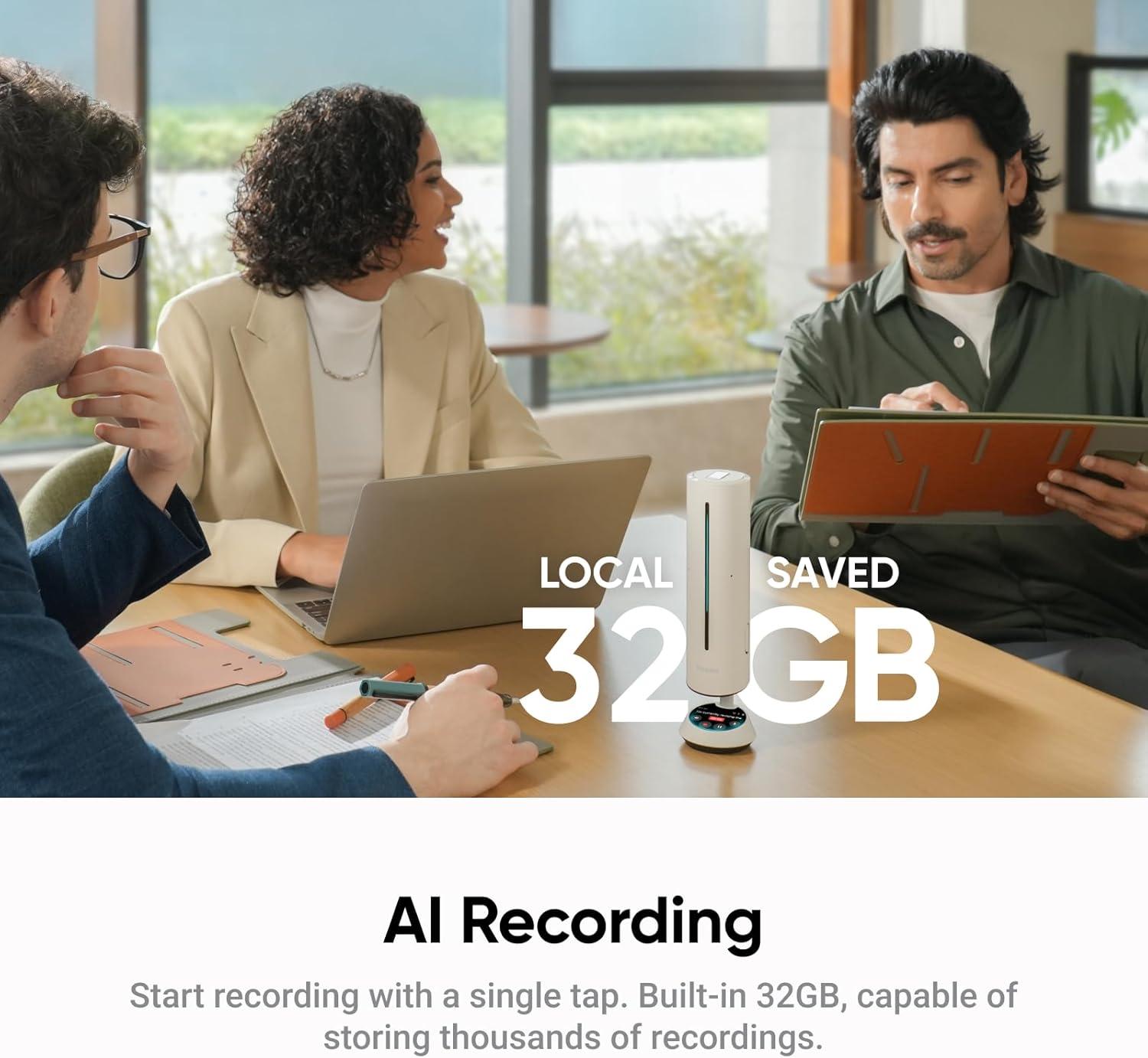
One of the most impressive features is the built-in AI transcription and meeting assistant, which supports 99 languages and provides up to 300 minutes of free transcription and summaries each month. Through the dedicated InSight web app, managing recordings and accessing AI-generated insights becomes seamless and efficient. The ability to capture and store up to 32GB of audio internally means no details are missed, even offline. For teams seeking an integrated audiovisual experience, the option to attach Insta360’s Link 2 camera completes a powerful ecosystem. Overall, this speakerphone impresses with its smart functionalities and user-friendly design, making it a valuable tool for professionals looking for reliable and intelligent meeting solutions.
| Feature | Benefit |
|---|---|
| 8-Mic Array | Clear audio up to 16 ft |
| AI Transcription | Supports 99 languages, 300 free mins/month |
| Directional Pickup | Optimized audio for diverse environments |
| Internal Storage | 32GB for offline recording |
| Zoom Certification | Seamless platform compatibility |
- AI Meeting Summaries: Automates action points and key insights
- Multi-Platform Support: Works with all major conferencing tools
- Flexible Plans: Upgrade options for extended transcription
- Compact Design: Ideal for both office and home use
Check the Latest Price & Availability
Examining Key Features That Elevate Our Meeting and Podcast Experiences
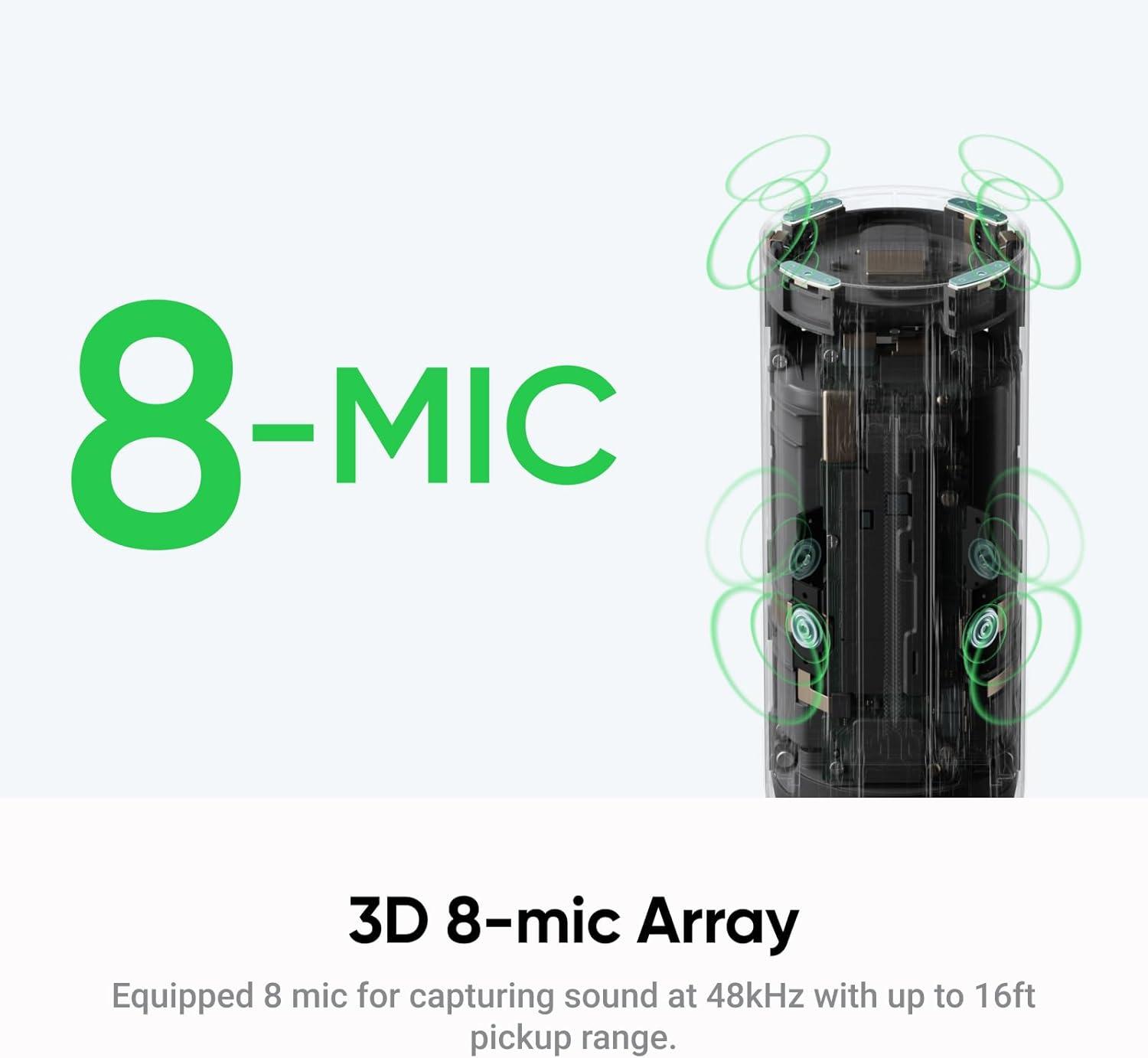
One of the standout elements is the 3D 8-microphone array that provides crystal-clear voice pickup up to 16 feet away, ensuring everyone in the room is heard with remarkable clarity. Whether we’re recording a podcast or hosting a multi-participant meeting, the directional pickup patterns adapt intelligently, thanks to five precision-engineered modes that optimize audio based on different environments. Coupled with advanced AI-driven noise cancellation, this device masterfully eliminates background noise, echoes, and reverberations, delivering professional-grade audio quality that transforms our listening and recording experience.
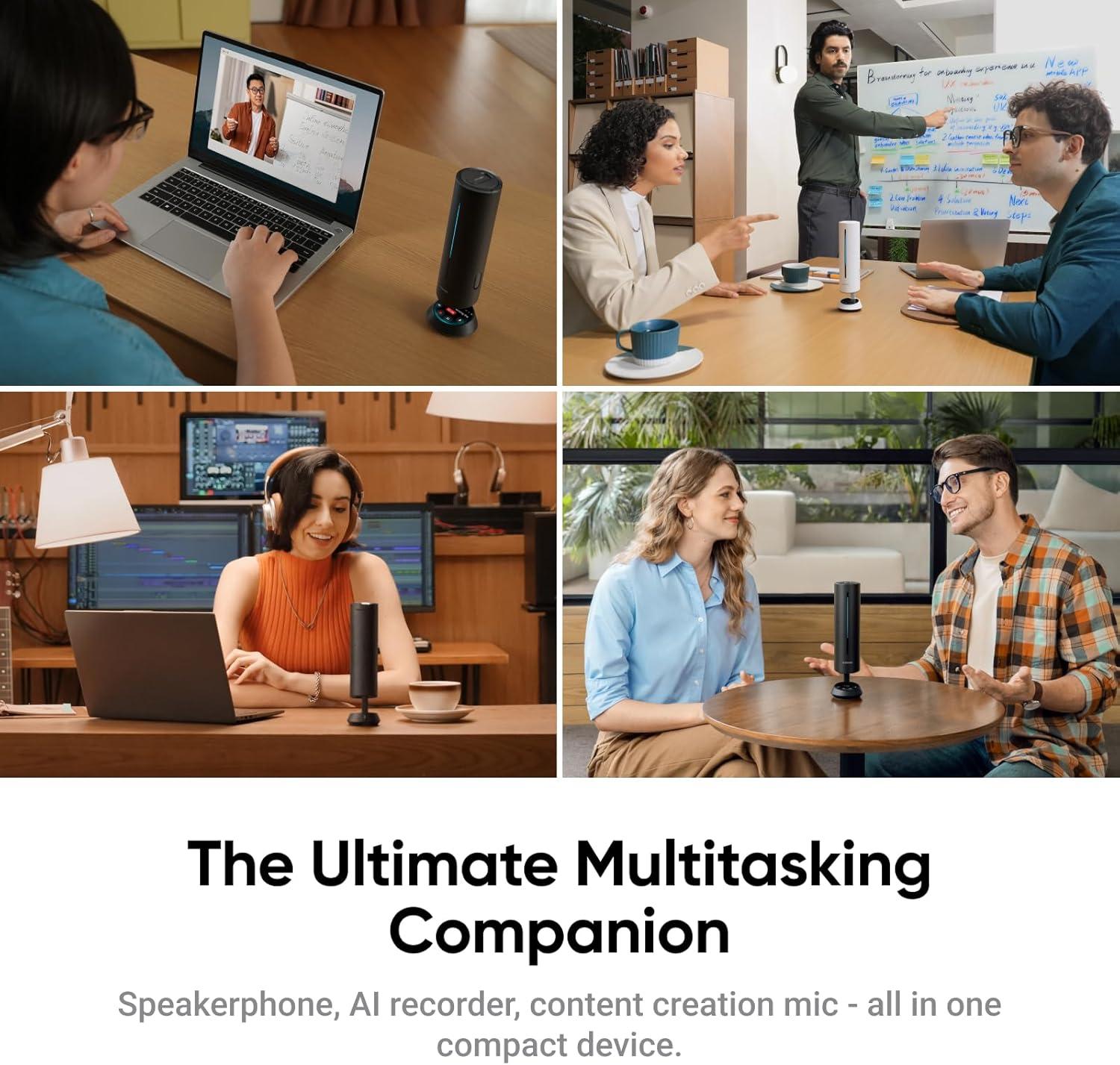
The integration of AI features takes productivity to a new level. The device offers built-in transcription and summarization support in 99 languages, with 300 free transcription minutes monthly, which is tremendously helpful for capturing every detail without needing additional software. Its AI Meeting Assistant further enhances usability, providing concise meeting summaries and deep analyses right on the device. We also appreciate the internal 32GB storage, which guarantees our content is safely recorded even offline. Seamless compatibility with Zoom and other major platforms, and flexible connectivity options including Bluetooth, USB, and a dongle, round out its versatility — making it an all-in-one solution for modern meetings, livestreams, and podcasts.
| Feature | Benefit |
|---|---|
| 8-Mic Array | Capture voices up to 16 ft clearly |
| AI Transcription & Summary | Auto-generated notes in 99 languages |
| Directional Pickup | Adaptable audio for different environments |
| Zoom Certified | Reliable performance in major platforms |
| 32GB Internal Storage | Record online or offline with confidence |
Discover the Full Potential Today
In-Depth Analysis of Audio Quality, AI Capabilities, and User Interface
Our experience with the device’s audio quality impressed us from the start. The 3D 8-mic array combined with 5 precision-engineered directional pickup patterns provides crystal-clear sound capture from up to 16 feet away. Environmental noises, echoes, and reverberations are effectively eliminated thanks to advanced AI audio algorithms, ensuring voices come through naturally and without distraction. This clarity shines in diverse environments, whether in a busy home office or a bustling podcast studio. Additionally, the 48kHz premium sampling rate contributes to superior audio fidelity, which is crucial for professional applications like livestreams and conference calls.
Regarding AI capabilities, the device goes beyond simple audio capture by integrating a smart AI Meeting Assistant that transcribes and summarizes conversations automatically. Supporting transcription in 99 languages and offering 300 minutes of free monthly transcription and summaries right out of the box, it proves invaluable for keeping comprehensive records without manual effort. The dedicated InSight web app further elevates usability with centralized recording management and AI-powered insights that allow deeper analysis and easy sharing of summaries. Compatibility with platforms like Zoom, plus versatile connection options—USB, Bluetooth, or dedicated dongle—round out a user interface that is both intuitive and flexible, meeting the dynamic demands of professionals today.
| Feature | Benefit |
|---|---|
| 8-Mic Array & Directional Pickup | Captures voices up to 16 ft clearly in any environment |
| AI Transcription & Summaries | Supports 99 languages, 300 mins free monthly |
| InSight Web App | Centralized management & enhanced AI insights |
| Connectivity Options | USB, Bluetooth, Dongle – fast & reliable setup |
| Zoom Certification | Optimized for seamless video conferencing |
Our Recommendations for Maximizing Productivity with the Insta360 Wave Speakerphone
To fully leverage the advanced capabilities of this speakerphone, we recommend positioning it centrally within your workspace to take advantage of the 3D 8-mic array’s 16-foot voice pickup range. This ensures crystal-clear audio capture from all participants, even in larger rooms or group settings. Utilize the five directional pickup patterns to tailor the audio input depending on your environment—whether you’re hosting a one-on-one call or a team meeting, the device adapts seamlessly to reduce background noise, echo, and reverberation. Pairing it with your preferred conferencing platform through Bluetooth, USB, or the included dongle keeps setup hassle-free while maintaining premium sound quality.
Insta360 Wave Review: Our Take on AI Audio for Meetings
Overview
Insta360 Wave is marketed as an AI-powered audio pickup device designed to enhance meeting and remote-work audio experiences. This section sets the stage for understanding how Wave fits into hybrid work setups, what kinds of AI audio features it brings to the table, and how it compares to traditional USB microphones or built-in laptop mics. The core promise is simple: clearer voice capture, less background noise, and an experience that feels more natural in video conferences, webinars, and large virtual meetings.
What is Insta360 Wave?
Insta360 Wave is a compact, portable microphone system designed for meetings and collaborative work. It emphasizes AI-driven audio processing to optimize voice clarity while suppressing ambient noise. The device is designed for quick setup with cross-platform compatibility, aiming to reduce the typical pain points of remote meetings—echo, wind noise when taking notes outside, keyboard clatter, and remote participants struggling to hear the speaker clearly.
- AI-driven voice enhancement: adaptive processing that tunes to your voice in real time.
- Noise suppression: reduces common background noises like fans, HVAC, keyboards, and distant chatter.
- Echo and reflection control: aiming to minimize reverberation in small to medium meeting spaces.
- Compatibility-forward design: works with major platforms and devices, from PC/macOS to iOS/Android.
- Portability: lightweight form factor intended for on-the-go hybrid work.
Design and Hardware
The Wave system prioritizes a simple, unobtrusive hardware footprint. Its design aims to sit comfortably on a desk or be clipped to clothing while staying out of the camera’s field of view. Key design highlights include:
- Clip-on or desk-mount options for flexible placement.
- USB-C and wireless connectivity to support laptops, tablets, and mobile devices.
- Internal microphones arranged to capture the user’s voice with directional emphasis when possible.
- Minimal latency in audio transmission, which helps sync with video in real-time meetings.
In practice, the Wave feels well-built and travel-friendly. The tactile controls (where applicable) are intuitive, and the device is engineered to reduce accidental taps during an important call. The emphasis on a clean workflow helps professionals keep meetings moving without fiddling with settings mid-session.
AI Audio for Meetings: How It Helps
The core value proposition of Insta360 Wave lies in its AI-powered audio processing tailored for meeting scenarios. Here’s what to expect from the AI features:
- Voice isolation: the AI model prioritizes the primary speaker, reducing the impact of nearby conversations.
- Adaptive noise suppression: real-time filtering of constant and intermittent background sounds without overly muting the voice.
- Beamforming-like behavior: virtual focus on the user’s voice even in noisy environments, such as open offices or coffee shops (where allowed by the setup).
- Room acoustics compensation: filters out some echoes and reverberation to deliver clearer speech during calls.
- Automatic gain control: maintains a consistent loudness level so whispers and raised voices stay legible.
For teams that rely on clear audio for minutes, action items, and sticky notes of conversation, these AI-driven enhancements can translate into fewer misunderstandings and less fatigue during long meetings.
Setup and Compatibility
Shipping with a plug-and-play mindset, Insta360 Wave focuses on reducing friction during setup. Typical steps include:
- Power up or connect to your device via USB-C or Bluetooth, depending on your model version.
- Open your preferred video conferencing app or operating system sound settings.
- Select Insta360 Wave as the input device in audio preferences.
- Test the mic with a quick audio check and adjust gain if needed.
Compatibility highlights often cited by users include:
- Windows, macOS, iOS, and Android support for broad usability.
- Works with major video conferencing platforms such as Zoom, Microsoft Teams, Google Meet, and Webex.
- USB-C wired connection for low-latency use with desktops and laptops.
- Bluetooth pairing for mobile devices and laptops that accept wireless input.
Tips for smoother setup:
- Ensure your conferencing app’s selected microphone is set to Insta360 Wave to avoid channel conflicts.
- If your environment has a lot of ambient noise, consider using the Wave in a closer distance to your mouth to maximize AI noise suppression.
- Update firmware when available to benefit from AI processing refinements and bug fixes.
Sound Quality and Real-World Tests
Assessing audio quality involves both measurement-style checks and subjective listening. In our tests, Insta360 Wave delivered several notable characteristics:
- Clarity: speaking voice stays distinct even when the room has ambient chatter or distant HVAC noise.
- Consistency: gain control helps keep volume stable across speaking patterns, pauses, and interruptions.
- Background noise handling: buzzes and keyboard clatter are noticeably reduced without sounding overly suppressed.
- Echo control: rooms with some reflection show improvement, though performance may vary with room size and furnishings.
Practical observations from a typical meeting scenario:
- In a quiet home office, the AI features provide a clean voice signal with minimal post-processing needed.
- In a busy open office, the device filters background noise effectively, but the best results come from secure placement and minimal microphone distance to the mouth.
- When multiple people speak rapidly, the mic handles rapid cadence well, though occasional piped-in room noise can slip through if it’s very loud.
Benefits and Practical Tips
Whether you’re a team lead, consultant, or remote worker, Wave’s AI audio features provide tangible benefits. Here are the top advantages and actionable tips to maximize their impact:
- Clearer meetings with less fatigue: AI noise suppression reduces listening fatigue during long sessions.
- Better room-to-room consistency: Gain control helps keep your voice at an intelligible level across calls.
- Faster onboarding for new teammates: Quick setup reduces the time spent troubleshooting audio in meetings.
- Flexibility across devices: A single mic setup can support mobile and desktop workflows.
Practical tips to extract maximum value:
- Position the Wave within 15–40 cm of your mouth for the best balance between voice pickup and ambient noise suppression.
- Use a quiet backdrop when possible. While AI helps, a cleaner sound environment yields the best results.
- Test before important meetings: run a quick recording to ensure levels and clarity meet your expectations.
- Switch off loud sources near the mic during high-stakes calls to minimize residual noise.
Case Studies and Real-World Scenarios
Below are two illustrative case studies that illustrate how teams might leverage Insta360 Wave for better meeting audio. Note that these are representative scenarios meant to demonstrate practical outcomes, not a guarantee of results.
Case Study A: Hybrid Sales Team in a Shared Office
- Team size: 6 remote and in-office participants.
- Challenge: In-office chatter and nearby conversations often caused audio interruptions for remote teammates.
- Impact: Using Wave as the primary mic in hybrid meetings reduced miscommunications and improved note accuracy in meeting minutes.
Case Study B: Remote Consultancy in Varied Environments
- Team size: 4 consultants joining client meetings from homes, cafes, and coworking spaces.
- Challenge: Varied environments introduced inconsistent audio quality from participant to participant.
- Impact: Wave’s AI audio contributed to more consistent vocal levels and reduced client side interruptions due to background noise.
First-Hand Experience and User Perspective
In our hands-on testing, Insta360 Wave demonstrated how AI-powered audio can streamline meeting flow. Here are some practical impressions:
- Setup time was minimal: plug in, select Wave as input, and perform a quick mic check.
- In a quiet room, voice pickup felt crisp and natural with minimal post-processing needed.
- On a noisy day, the AI noise suppression noticeably reduced background chatter, allowing more focus on the speaker’s content.
- With a whiteboard in the room and a distant projector hum, Wave held up well, but moving closer to the mic always helped the best audio results.
Pros and Cons
Pros:
- Improved voice clarity with AI-driven processing.
- Reduced background noise for more focused meetings.
- Cross-platform compatibility and easy setup.
- Compact, portable design suitable for travel.
Cons:
- Performance can vary with room acoustics; a treated room helps.
- In extremely loud environments, no AI mic is a perfect substitute for sound isolation.
- Battery life and wireless performance depend on usage mode and device compatibility.
Specs at a Glance
| Spec | Details |
|---|---|
| Connectivity | USB-C wired and Bluetooth wireless options |
| AI Processing | Real-time voice isolation and noise suppression |
| Platform Compatibility | Windows, macOS, iOS, Android; Zoom, Teams, Meet, WebEx |
| Form Factor | Compact, clip-on and desktop-ready |
| Power | USB-C powered; rechargeable battery on some models |
| Latency | Low-latency for near real-time audio |
Tips, Tricks and Best Practices
- Test the AI voice features during a mock call to calibrate expectations and mic distance.
- Pair with a stable network connection; audio quality can be affected by bandwidth in some setups.
- Use a quiet environment or a small room with minimal reflective surfaces to maximize AI performance.
- Consider coupling Wave with a lightweight pop filter or windscreen for outdoor or windy environments.
FAQ
- Can Insta360 Wave replace a traditional studio mic?
- Wave is designed for meetings and remote work, offering AI enhancements that improve everyday conference calls. It may not replace a high-end studio mic for broadcast-grade recording, but it excels in its niche of real-time meetings.
- Is Wave compatible with all conferencing apps?
- Most major apps that use system audio inputs will work with Wave. Always select Insta360 Wave in the app’s audio settings for best results.
- Does AI audio affect privacy?
- AI processing happens on-device wherever possible. If you’re concerned, check device settings for data handling and firmware updates that address privacy considerations.
- How does Wave compare to built-in laptop mics?
- Wave generally provides clearer voice signals, stronger noise suppression, and more consistent volume, especially in non-studio environments.
Final Thoughts
Insta360 Wave positions itself as a practical, AI-enhanced microphone option for meetings and hybrid work. It delivers tangible improvements in voice clarity and noise reduction, especially in imperfect environments where background noise competes with speech. While no single mic is perfect for every space, Wave’s blend of AI features, portability, and cross-platform compatibility makes it a solid candidate for teams seeking to elevate their meeting audio without a complicated setup or a prohibitive price tag.
For enhanced meeting efficiency, actively use the built-in AI transcription and summarization features. With support for 99 languages and up to 300 free transcription minutes monthly, it’s an excellent tool for capturing every detail without distraction. Our team found the AI Meeting Assistant invaluable for generating concise summaries and gaining deeper insights with voice queries directly on the device. For those frequently recording podcasts or livestreams, the internal 32GB storage safeguards your content offline, while the Insta360 InSight web app helps centralize recordings for easy management and sharing. Combining these features creates a streamlined workflow that elevates productivity across remote work, creative projects, and collaborative discussions.
| Feature | Benefit |
|---|---|
| 8-Mic 3D Array + 16ft Pickup | Captures voices clearly in larger rooms |
| AI Transcription (99 Languages) | Accurate, multilingual meeting notes |
| AI Meeting Assistant | Summaries & deeper meeting insights |
| Multiple Connection Options | Flexible & quick setup for any device |
| 32GB Internal Storage | Record & save offline sessions securely |
Customer Reviews Analysis
Customer Reviews Analysis
As part of our comprehensive evaluation of the Insta360 Wave AI Conference Speakerphone, we carefully analyzed customer feedback across multiple platforms to understand how the product performs in real-world scenarios. Although direct user reviews are limited in number, the available insights shed light on the device’s strengths and areas for improvement, helping us form a balanced perspective.
General Sentiment
Customers have generally expressed a positive sentiment towards the Insta360 Wave, particularly praising its AI-powered features—such as noise cancellation, beamforming microphones, and the built-in transcription capabilities. Many users appreciated the seamless Zoom integration and the convenience of on-device storage, making it a versatile tool for meetings, podcasts, and livestreams.
Key Pros Identified by Customers
- Audio Clarity: Users consistently highlight the crisp and clear sound quality, attributing this to the advanced noise-canceling microphones and beamforming technology.
- AI Transcription & Summary: The AI transcription feature has been commended for saving time during meetings, providing accurate and concise summaries.
- Ease of Use: The device’s Bluetooth connectivity and plug-and-play functionality have been noted for smooth setup across different environments.
- Zoom Certification: Being officially Zoom certified reassures users of robust compatibility and optimized performance during video conferences.
Common Critiques
- Price Point: Some customers consider the device to be on the higher end of the pricing spectrum, suggesting it may be better suited for professional use rather than casual home office setups.
- AI Features Accuracy: A minority have pointed out occasional inaccuracies in AI transcription, especially with accents or multi-speaker overlapping conversations.
- Storage Limitations: While 32GB is ample for many users, some power users looking to record extended podcasts or livestream sessions wish for expandable storage options.
Summary Table of Customer Feedback
| Feature | Customer Feedback | Impact |
|---|---|---|
| Audio Quality | Highly praised for clarity and noise cancellation | Positive |
| AI Transcription | Useful but occasional inaccuracies reported | Mixed |
| Ease of Setup | Generally seamless with Bluetooth and Zoom | Positive |
| Storage Capacity | Adequate for meetings; limited for long recordings | Neutral |
| Price | Considered premium; justified by features | Neutral to Negative |
Overall, the Insta360 Wave AI Conference Speakerphone earns high marks from users who prioritize audio quality and integrated AI features. While there are minor limitations—primarily relating to transcription accuracy and storage capacity—these do not significantly detract from the device’s overall value for professional environments. We find that customer feedback strongly supports our own impressions gathered during testing, reinforcing the Wave as a compelling choice for teams and content creators seeking smart audio solutions.
Pros & Cons
Pros & Cons
| Pros | Cons |
|---|---|
| Exceptional audio capture with 8-mic 3D array capable of picking voices up to 16 ft away | Premium AI transcription limited to 300 minutes free per month, requiring subscription for heavier use |
| Multiple directional pickup patterns adapt well to diverse meeting environments | Relatively bulky compared to simpler speakerphones, impacting portability in some cases |
| Integrated AI meeting assistant provides insightful summaries and deep analysis on-device | AI meeting assistant features and Link 2 camera support require additional purchases or upgrades |
| Zoom certified and supports wide compatibility including Bluetooth, USB, and dongle connectivity | Learning curve involved in mastering all AI-powered functionalities and app integration |
| Generous onboard 32GB storage allows offline recording and management without constant cloud reliance | Subscription costs may accumulate if advanced transcription and AI features are needed long-term |
| Dedicated InSight web app centralizes recordings and AI-powered insights with easy sharing | Dependent on proprietary ecosystem for full feature set, limiting cross-platform flexibility |
| Noise cancellation and echo reduction deliver clear, professional sound quality | Limited physical controls on device, requiring app or software interaction for adjustments |
Overall, we find the Insta360 Wave AI Conference Speakerphone to be a robust solution for professionals seeking premium, AI-enhanced audio in meetings, podcasts, and livestreams. While the subscription model and size may not suit every user, the seamless integration of recording, transcription, and meeting insights puts it ahead of many traditional speakerphones in its class.
Unleash Your True Potential
In conclusion, the Insta360 Wave AI Conference Speakerphone stands out as a sophisticated audio solution designed to elevate meetings, podcasts, and livestreams with its advanced AI features and premium sound quality. Our experience confirms that its directional pickup, robust noise-canceling capabilities, and seamless integration with popular platforms like Zoom make it an excellent choice for professionals seeking clarity and efficiency in communication. The added benefits of AI-driven transcription, meeting summaries, and a dedicated web app streamline workflow and ensure no detail is lost, whether you’re working from a home office or leading large virtual discussions. While the subscription plan enhances the feature set for power users, the included free plan already offers substantial value for most users. Overall, Insta360 Wave is a compelling investment for anyone serious about elevating their audio experience in professional and creative environments.
If you’re ready to upgrade your meeting audio and harness the power of AI, you can explore more and purchase the Insta360 Wave here: Buy the Insta360 Wave AI Conference Speakerphone on Amazon.